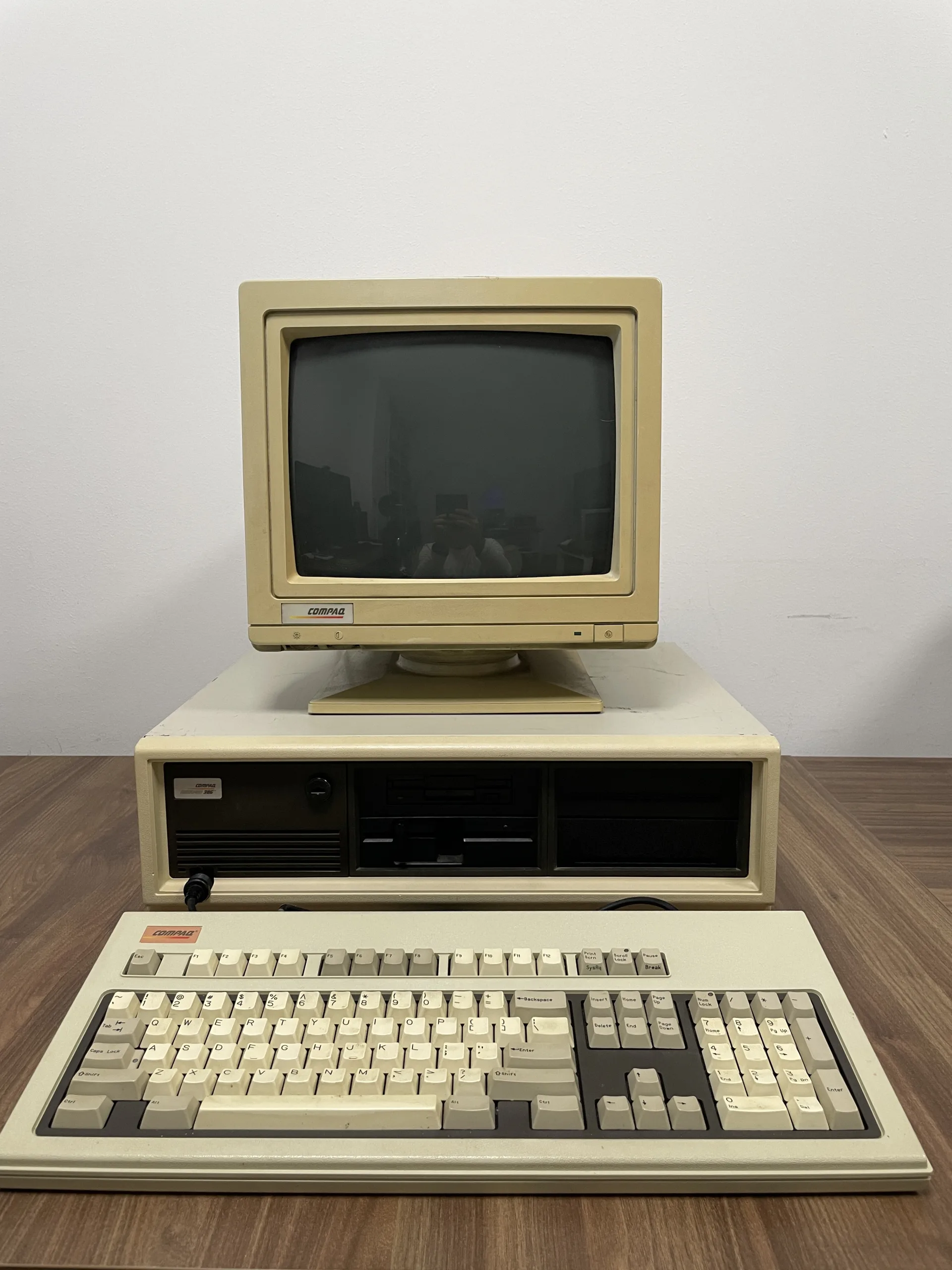
The Compaq Deskpro 386 shipped on 9 September 1986 at $6,499 for the base model, with no monitor or graphics card included; buyers routinely spent close to $8,000 once they'd finished fitting one out. It sat in the same beige, slab-sided case as the earlier 8086 and 80286 Deskpros, so from across an office it looked no different to a machine running at a third of the speed. Intel had only just started shipping the 80386 chip in volume, and Compaq got a finished, sellable computer built around it onto desks about seven months before IBM managed the same trick with its PS/2 Model 80.
Why it matters
For the first time since the original IBM PC set the template in 1981, a company other than IBM decided which chip the next generation of business computers would run, and IBM had to follow it. Microsoft's own developers used Deskpro 386 machines as their primary development platform in the years that followed, so Windows and early DOS extenders got tuned on Compaq hardware before anyone else's. Compaq fitted an Intel 80287 coprocessor socket rather than the newer 387 because the faster chip simply wasn't in volume production yet, a compromise that the 386/20 and 386/25 revisions corrected within two years.
What to check before you buy
- Ask whether the 32-bit memory daughtercard and any piggyback expansion board are present and match the model: without them you're stuck at 1MB and the machine won't be representative of what made it notable.
- Find out which CPU stepping is fitted if the seller knows; the earliest chips have documented issues running 32-bit protected-mode software with paging.
- Check the maths coprocessor socket: original units take an 80287, not the faster 80387 fitted to later Compaq 386 machines, so don't buy one expecting 387-class performance.
- ESDI hard drives of this era are near the end of their working life; budget for a compatible replacement or controller conversion rather than assuming the original drive still spins.
- The BIOS setup and diagnostics live on a separate floppy rather than a CMOS setup screen, so ask if it's included: a Deskpro without it is awkward to configure from scratch.