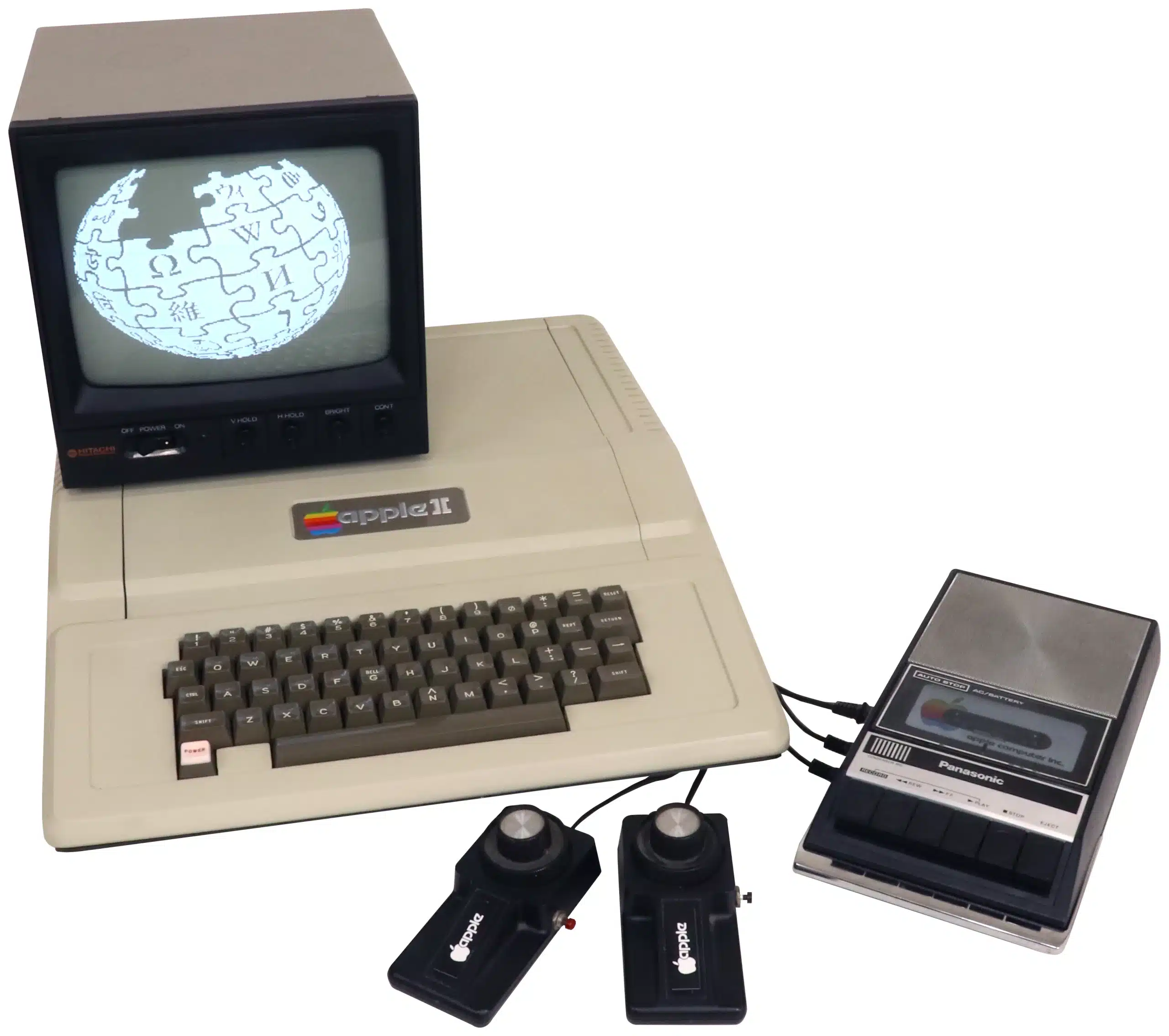
The Apple II shipped in June 1977 with 4 kilobytes of memory, no monitor, and a cassette deck for storage, and inside eighteen months it had turned “personal computer” from a hobbyist phrase into a category a bank manager could say out loud. It looked like nothing else on the market: a moulded plastic case the colour of digestive biscuits, a proper keyboard built in rather than bolted on, and, astonishingly for 1977, colour graphics on an ordinary television set.
Why it matters
Before the Apple II, a “personal computer” generally meant a bare board, a bag of switches, and the assumption that you’d build your own case. Wozniak and Jobs sold something a person could put on a desk and switch on, and the eight internal expansion slots meant the machine didn’t have to anticipate every future use case itself, third-party card makers did that instead, which is the real reason the platform outlived nearly everything it launched alongside. That open architecture, more than the colour graphics or the switching power supply underneath it, is why the Apple II is treated as the moment the personal computer stopped being a project and started being a product.
What to check before you buy
- Confirm it's genuinely the original 1977-79 machine and not a II+ or IIe. Check the ROM labels for Integer BASIC and the board for a pre-1979 date code, since sellers frequently blur the distinction.
- Ask whether the power supply has been recapped. An un-recapped original switching PSU is now approaching fifty years old, and a dead electrolytic can take other components with it on power-up.
- Test every key individually if possible. Encoder chip faults show up as double-typed or dead keys and the AY-5-3600 replacement chips are hard to source.
- Check for corrosion or discoloration around the RAM and logic-board DIP sockets, a common and usually fixable cause of boot failures.
- Established Rev.0 boards carry a real collector premium. Don't pay Rev.0 prices without verifying the board revision yourself.