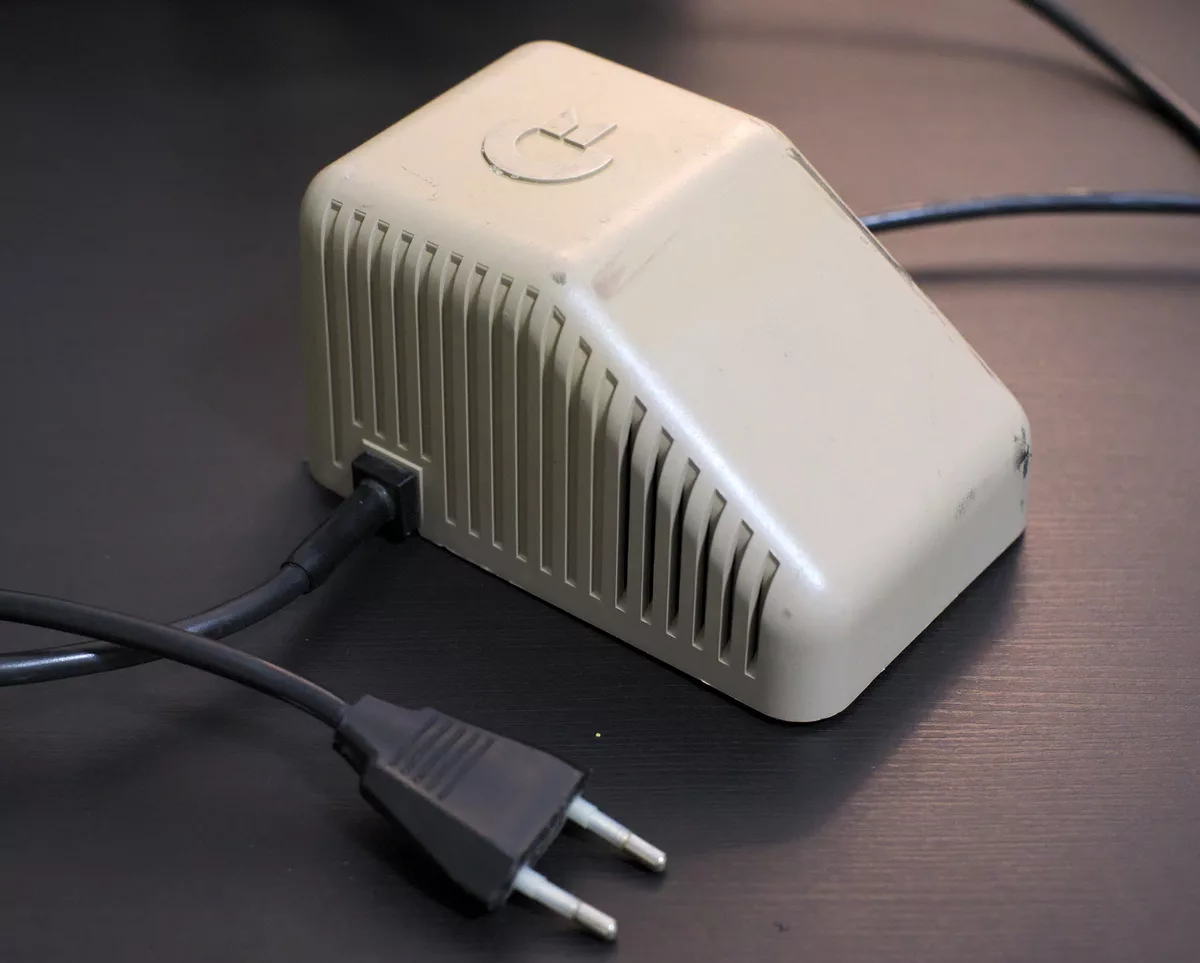
The original Commodore 64 power supply can fail by sending more than 5 V into the computer, and the RAM usually dies first. Treat any original brick that has not been tested as unsafe for a machine you care about. The safe routes are to test it, protect the computer with an overvoltage cut-out, or replace the supply.
- What it supplies: 5 V DC and 9 V AC (Commodore 64 Service Manual). C64-Wiki rates the original at 1.5 to 1.7 A on the 5 V rail and 1.0 to 1.11 A on the 9 V AC rail, depending on type.
- Healthy 5 V rail: 4.95 to 5.10 V (C64-Wiki). Above about 5.2 V the supply is failing, and in most cases where a C64 was killed by its supply the voltage had passed 6 V.
- Rebuilding is often impossible: many bricks are glued shut and filled with epoxy.
Why do original Commodore 64 power supplies kill computers?
The brick contains a 5 V regulator, and when it fails it can short internally. The supply then passes a higher voltage straight to the computer, which has no overvoltage protection of its own. RetroTechCollection reports that most C64s killed by their supply had seen more than 6 V, and that the damage is quick and silent. Other write-ups report figures of up to 9 V. The chips that go first are the RAM.
How do you test a Commodore 64 power supply?
Do this before the brick ever meets a computer. You need a multimeter and fine probes. The connector is a 7-pin DIN plug, and the pin assignment matters: C64-Wiki’s table for the connector gives pin 5 as +5 V DC, pins 6 and 7 as the two 9 V AC connections, and pins 1, 2 and 3 as ground. Check that table against the plug in front of you twice. Shorting adjacent pins with a probe can damage the supply.
- Unplug from the computer. Leave the brick connected to the mains only for the readings below, with nothing else attached.
- Identify the pins. Compare the plug to the C64-Wiki pin table before you touch it with a probe.
- Set the meter to DC volts. Measure between pin 5 and a ground pin. A healthy supply reads between 4.95 and 5.10 V.
- Set the meter to AC volts. Measure between pin 6 and pin 7, not to ground. You should read roughly 9 V AC.
- Judge the 5 V reading. C64-Wiki’s guide: 4.95 to 5.1 V is normal; 5.1 to 5.2 V needs watching; 5.2 to 5.5 V means the supply is failing; 5.5 to 6 V puts the computer in danger; above 6 V stop.
- Stop if it reads high. A supply above 5.2 V must not be plugged into a computer.
- Load-test if you can. A reading with nothing connected does not show how the supply behaves under load. Purpose-built PSU testers load each rail by about 1 A. A 5 V rail at 1 A is 5 Ω and 5 W, so a home-made load needs a resistor rated well above 5 W, and it will get hot.
- Label the result. Mark a failed brick as scrap and keep it away from computers.
Can you rebuild a Commodore brick power supply?
Sometimes, but this guide does not give a procedure for opening one. C64-Wiki notes that some supplies can be repaired easily while others cannot, because the case is glued together and the components are potted. If yours is sealed, opening it is destructive and a rebuild means replacing everything inside. If you do build or fit new internals, the output has to match what the computer needs: 5 V DC at 1.5 A or more and 9 V AC at about 1 A, with the connector wired to the pin table above.
What should you use instead of an original C64 power supply?
- A modern replacement supply. C64-Wiki says modern units typically offer 2 to 5 A at 5 V DC and 1.5 to 2 A at 9 V AC. Choose one that includes overvoltage protection.
- An overvoltage protector. The C64 Saver sits between the supply and the computer and cuts the 5 V line if it rises above about 5.4 V, which RetroTechCollection describes as still below the absolute maximum rating of the RAM chips.
- A custom supply. One example is Ray Carlsen’s design, described as able to power a Commodore 64 or 128 and a 1541-II or 1581 drive at the same time.
What are the signs a power supply has already damaged a C64?
A blank or garbled screen at power-up, a machine that boots but fails a RAM test, and chips that run hot within seconds all fit RAM or PLA damage after an overvoltage. It is not always a write-off, because socketed RAM can often be swapped chip by chip. Unplug it, test the supply and do not try a second power-up on the same brick.
Sources: Commodore 64 Service Manual (September 1985, PN-314001-02); C64-Wiki, “Power Supply” and “Power Supply Connector”; RetroTechCollection, Commodore 64 Power-Supply Protector; Keelog’s C64 PSU tester description for the 1 A load. Pin numbers and voltage bands are as quoted by C64-Wiki; check the plug yourself before probing.